
Workspaces
Picking your default workspace
Set the workspace Accoil opens in when you log in, using the Options menu in workspace settings so you land on the right scores each time.
Summary
Learn how to set a default workspace in Accoil so you land on the right score the moment you log in.
How this helps
Save time and cut out extra clicks — go straight to the customer health view that’s most relevant to you.
How to set your default workspace
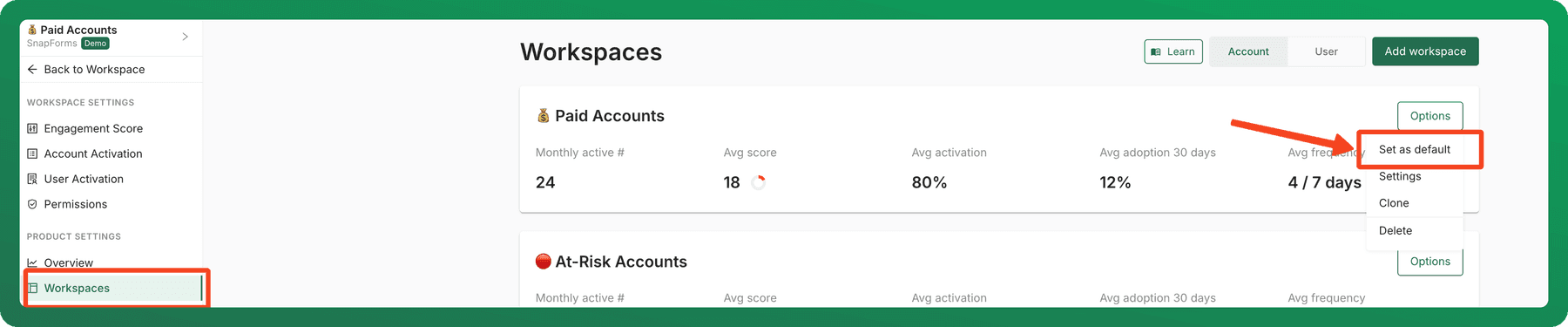
- Click Settings in the bottom left menu, then select Workspaces under Project Settings.
- Find the workspace you want to make default (e.g. Paid Accounts).
- Click Options on the right-hand side of that workspace.
- Select Set as default.
Next time you log in, Accoil will open directly in your chosen workspace.
Creating multiple Workspaces
Build a separate workspace for each type of user, apply filters so only matching users are scored, and switch between workspaces as you work.
Features and Events Overview
How user actions (events) and grouped behaviours (features) power engagement, activation, and adoption insights.