
Best Practices for creating workspaces
How many events to score in a workspace, how to spread weights across high, medium, and low value actions, and answers to common setup questions.
Summary
Tips for building a workspace that works — from choosing the right events to setting smart weights.
How this helps
Gives you a solid, structured setup that accurately tracks customer health and engagement.
You're on the right track— measure customer health with clarity
Below: best practices to guide you, plus answers to common questions.
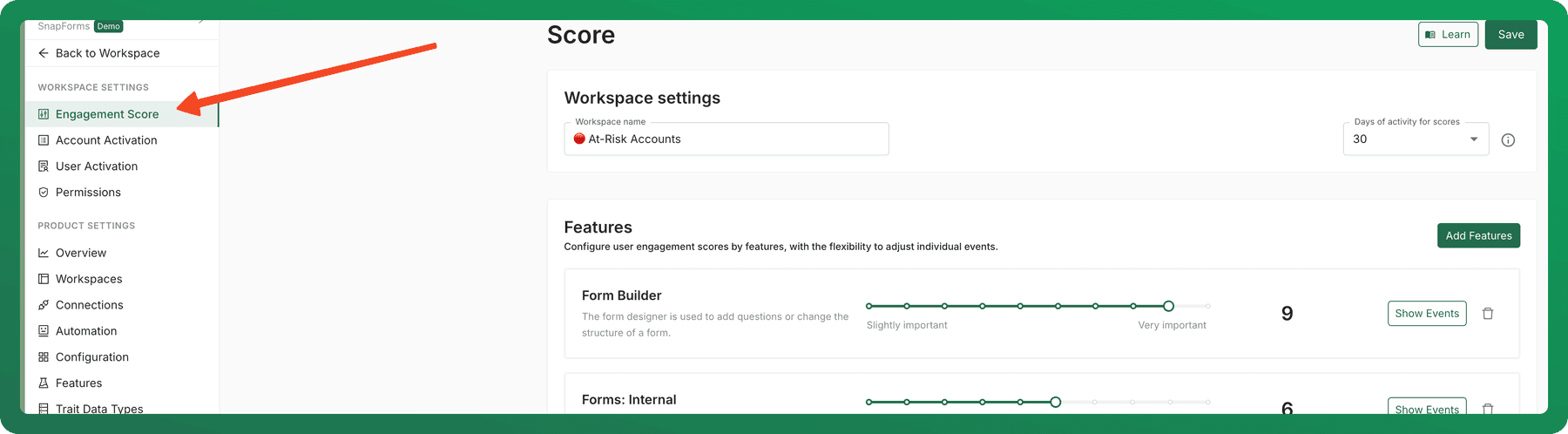
How many events should be in my workspace?
You may be tracking dozens of events, but typically only 10-20 key events truly matter when assessing engagement. Successful models have included as few as 5-7 events, while others use 20+, but 10-20 is a solid rule of thumb.
- Too few events? This can limit the accuracy of your scoring model.
- Too many events? It can make your workspace overly complex and harder to interpret.
A well-balanced Workspace captures diverse user behaviors without overwhelming the scoring model.
How should I weight each event?
A useful workspace blends high, medium, and low weights. Here’s what each range typically represents — and examples to guide your setup:
| Weight Range | Descriptor | What It Tells You | Example Events |
|---|---|---|---|
| 7 - 10 | Very important High value High impact High engagement Primary signals | These events are make-or-break. They either reflect deep engagement or are essential to product success — like publishing a form or creating a report. Without these, users aren’t really “using” your product. | - Created a form - Published a template - Completed onboarding - Connected a data source |
| 4 - 6 | Moderately important Moderate value Moderate impact Steady engagement Secondary signals | These are your dependable indicators. Regular use of these features shows the product is being used as intended — they support the key flows, even if they’re not the flashiest moments. | - Viewed form submissions - Added a teammate - Scheduled a report - Used a saved filter |
| 1 - 3 | Slightly important Lower value Lower-impact Lower engagement Tertiary signals | These are basic, routine actions (like logging in or viewing a dashboard). Good to know, but not very telling when it comes to actual engagement or product value. | - Logged in - Visited homepage - Viewed help doc - Clicked on a notification |
| 0 | No impact Not scored Omitted signals | These events don’t contribute to a meaningful health score. If they don’t help you tell the story of user success, it’s better to leave them out. | - Resized a window - Changed theme - Opened a settings menu (without making changes) |
What if I miss an important event?
No worries — Accoil’s Events tab helps you spot valuable events that haven’t been scored yet.
A few days after setting up your first score, check for:
- High-engagement events that aren’t yet scored. These might be worth adding to your workspace for more accurate insights.
In the Events tab, you’ll see both scored and unscored events, their activity levels, and how much engagement they’re driving.
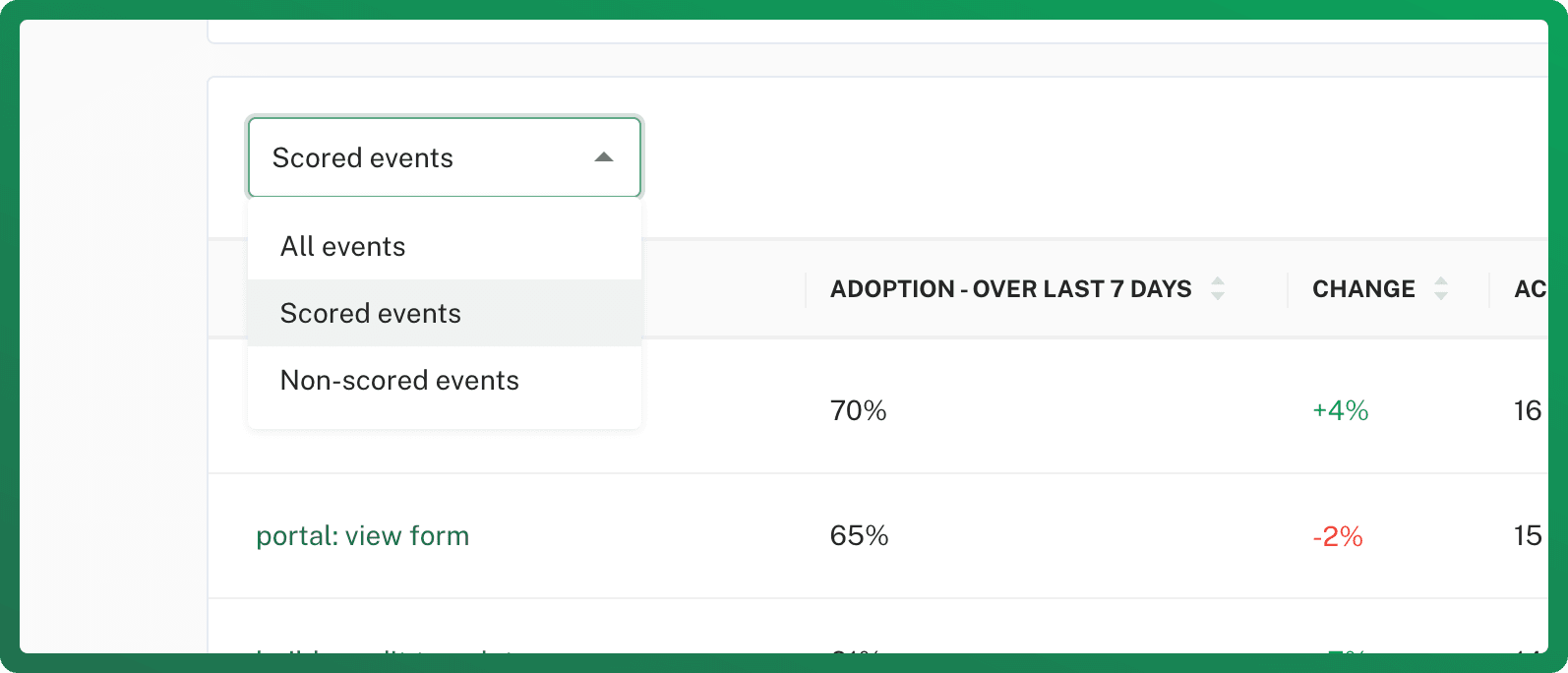
Learn how to identify High impact events
Can I update my workspace later?
Absolutely. Workspaces in Accoil are flexible — and built for iteration.
- In the first few days, expect to tweak your score a few times. That’s normal.
- When you update your workspace, Accoil automatically refreshes your reports — no need to worry about losing past data.
Can I Score different User Groups separately?
Yes! Accoil lets you create multiple workspaces for different user segments.
Here’s how we recommend approaching it:
- Start broad — Set up a general score for all users.
- Then go specific — Create additional workspaces tailored to key user groups (e.g. different plans, regions, roles).
Trust your expertise
You know your product best. If a scoring model feels right based on how users engage — it probably is.
Need a second opinion or help refining your setup? Contact us - we are here to help.
Unsure what to score and weight in your workspace?
Group your events into features, then score and weight those features so your workspace reflects what good engagement actually looks like.
How is the Workspace score calculated?
How Accoil turns scored events and their weights into a workspace score, and why those same scored events decide who counts as active.