
Configure Traits
Traits are properties associated with your users and accounts — such as sign-up date, plan type, region, or number of sessions.
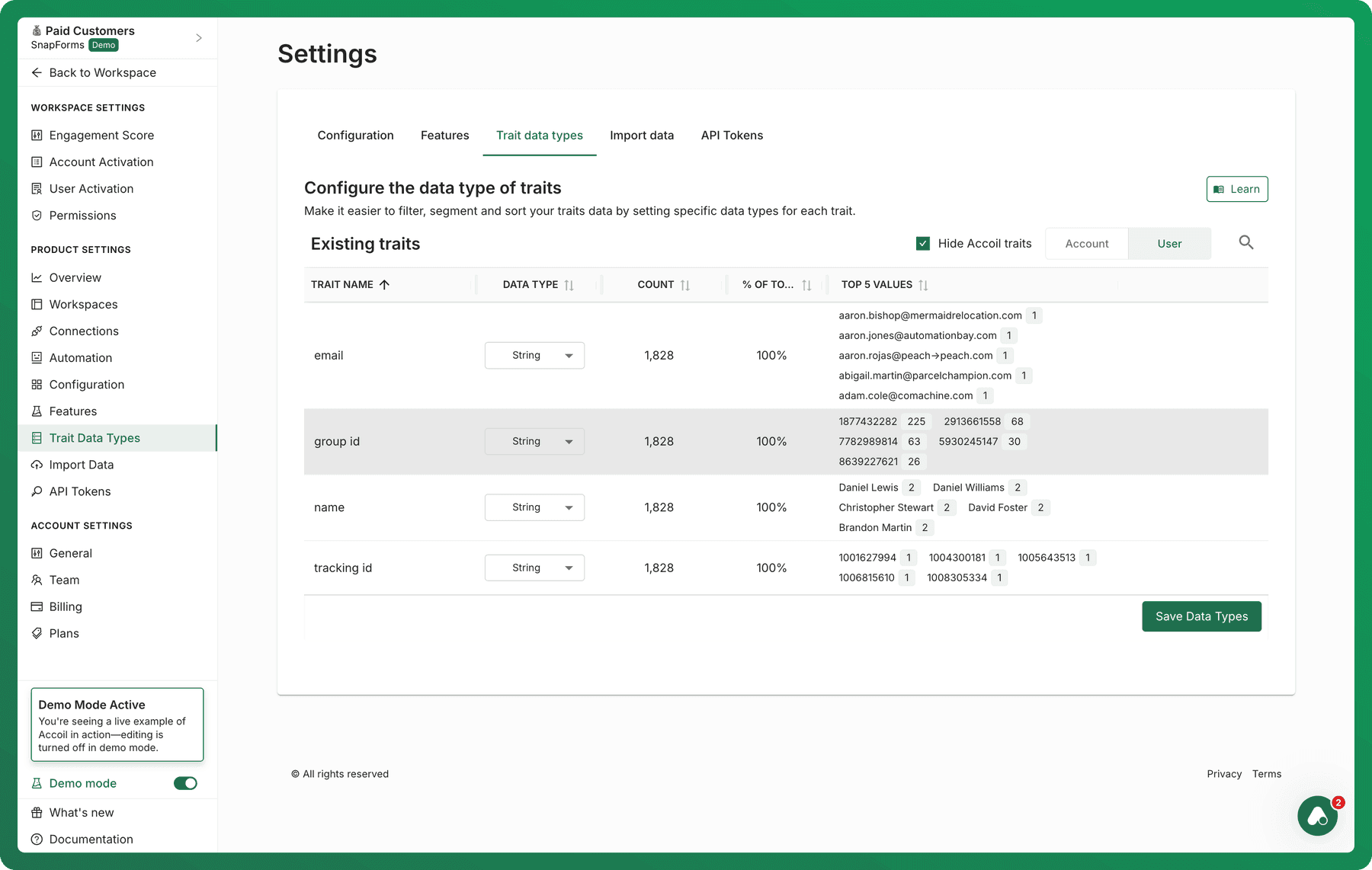
What Are Trait Data Types?
On this page, you can view and configure the data types of traits that have been ingested into Accoil. Setting the correct data type ensures that the right filtering and segmentation options are available throughout the platform.
Learn more about the concept of traits →
Why Data Types Matter
Accoil uses data types to determine how traits can be filtered and analyzed. Here's how different types behave:
-
String (default)
- Supports exact match filtering
-
Number
- Enables filtering by thresholds (e.g., greater than, less than, equals)
- Useful for traits like "Session Count", "Team Size", etc.
-
Date
-
Enables filters like:
-
Before / After a specific date
-
Within the last X days / weeks / months
-
On / Not on a date
-
Ideal for traits such as “Signup Date” or “Last Login”
-
-
Percentage
-
Treated as a numeric value between 0–100
-
Supports filtering with:
-
Greater than / Less than
-
Within a specified range
-
Useful for traits like "Activation Rate", "Workspace Completion", or "Adoption %"
-
⚠️ The default type for all traits is String until changed manually.
Trait Categories
Traits are grouped into two categories:
- User Traits — Properties associated with individual users
- Account Traits — Properties tied to the company or organization (account)
You can manage data types separately for each group using the tabs in the UI.
System Traits from Integrations
You may notice traits that originate from external systems like Attio or HubSpot.
These are added by Accoil to support syncing between platforms and cannot always be renamed or deleted. However, their data types can still be adjusted to support filtering where applicable.
Building Calculated Traits
Calculated traits let you create new numeric traits by applying simple math formulas to existing traits or Accoil metrics. They’re commonly used for ratios, rates, averages, and derived scores that update automatically as your data changes.
Learn how to build calculated traits →
Saving Changes
After updating data types:
- Click Save at the top-right to apply your changes
- Filters and segmentation rules will immediately reflect the new data type logic
If you leave the page without saving, your changes will be lost.
Deleting Traits
Click Delete on any trait that you want to permanently from Accoil. This action cannot be undone.
The trait and all values will be removed from Accoil; however, if the trait is subsequently sent to Accoil again it will reappear in the trait list and on the user / account profile page.
Summary
The Trait Data Types page helps you fine-tune how traits behave across filtering, segmentation, and scoring by assigning the right data type:
- String, Number, Date, or Percentage
- Enables relevant filters for more powerful analysis
- Changes only apply once you click Save
For a deeper dive into how traits work in Accoil, check out our traits guide →
Data Configuration
To enable accurate user-to-account mapping and unlock powerful account-level and user-level insights in Accoil, you’ll need to configure the appropriate traits under Data Configuration.
Calculated Traits
Create dynamic user and account attributes by combining existing data with simple formulas.