
Find accounts and users with Search
Use Search to find an account or user in the current workspace and see matches in other workspaces.
Use Search when you want to open an account or user without navigating through a profile list or segment. Search starts in the current workspace and also shows when a matching record exists in another workspace.
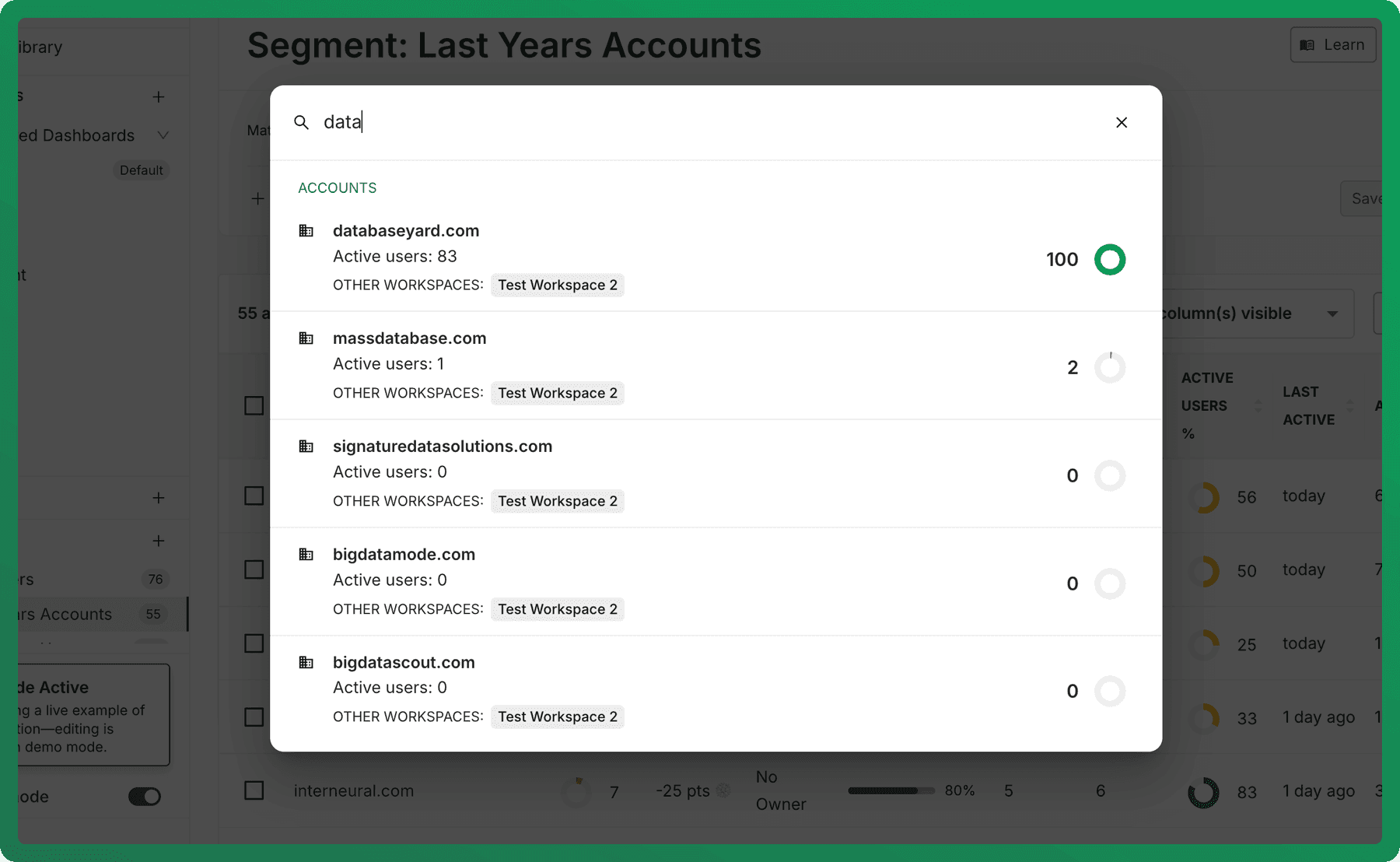
Open Search
Select Search in the left navigation or use the Command K shortcut, then enter an account or user name or identifier.
Search results are grouped by object type. Each result can include useful context from the current workspace, such as active-user information or a score.
Open a result in another workspace
When the same account or user appears in another workspace, the result shows that workspace under Other workspaces. Select the relevant workspace match to open the record there.
This matters because each workspace can use different scoring, activation, and audience configuration. Open the result in the workspace whose context matches the question you are investigating.
If you cannot find a record
Check the spelling and confirm which workspace you are currently viewing. A record may be excluded from a workspace or may not have received the data needed to appear there.
Customise account and user profile layouts
Choose the metric cards, summaries, tables, charts, and sections shown on account and user profiles.
Manage Accounts: Excluding from Workspaces
Exclude entire accounts from workspace metrics in Accoil to clean up your data, remove noise from internal or test organization.