
Turning trial users to paying customers
Use activation milestones to see which trial users have hit their aha moment, which ones have stalled, and where conversion effort should go.
Sound familiar?
These questions ring a bell? You’re not alone. Accoil helps you answer: What parts of our product hook new users from day one?
- Which parts of our product hook new users from day one?
- What’s getting in the way of users finding value?
- Which features are causing the most excitement?
- Who’s ready to convert—and how do we help them do it?
- What signals show a trial user is ready to subscribe?
- How do we tailor our pitch to show each user the perfect fit?
In a Nutshell....
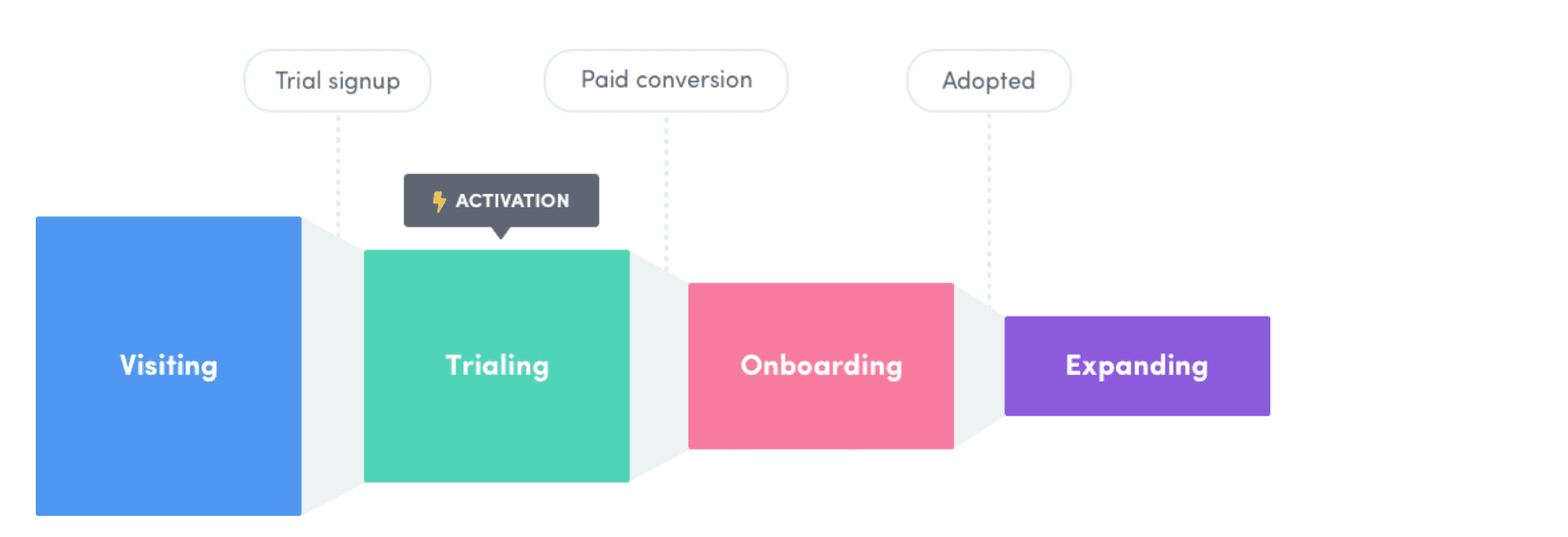
Activation matters. It’s the moment users first see the value in your product—and it’s what turns trials into customers.
Accoil tracks activation milestones so your team can help more users get there, faster.
What's the lowdown?
Activation is the “aha!” moment—when a user clicks, and the product makes sense. It’s what keeps them coming back.
No activation? No conversion. That’s why it’s critical to know who’s activating, who’s not, and why.
Who does this help?
Each team benefits from activation insights:
| Team | How activation insights help |
|---|---|
| Product Team | Spot which features drive usage and improve the UX. |
| Marketing Team | Target users with benefits that actually resonate. |
| Sales Team | Identify high-intent users and tailor outreach. |
| Customer Success Team | Steer users toward early wins and reduce churn. |
Key Steps
Assuming you’ve got Accoil set up (if not, here’s how), here’s how to make activation work for you
1: Define your activation criteria
Every product is different. Start by defining what “activation” looks like for yours.
Example (for a project management tool):
- Create an account
- Invite at least two teammates
- Set up a project
- Upload files
- Schedule events
- Add and complete tasks
Once defined, add these milestones to Accoil.
2: Track progress in Accoil
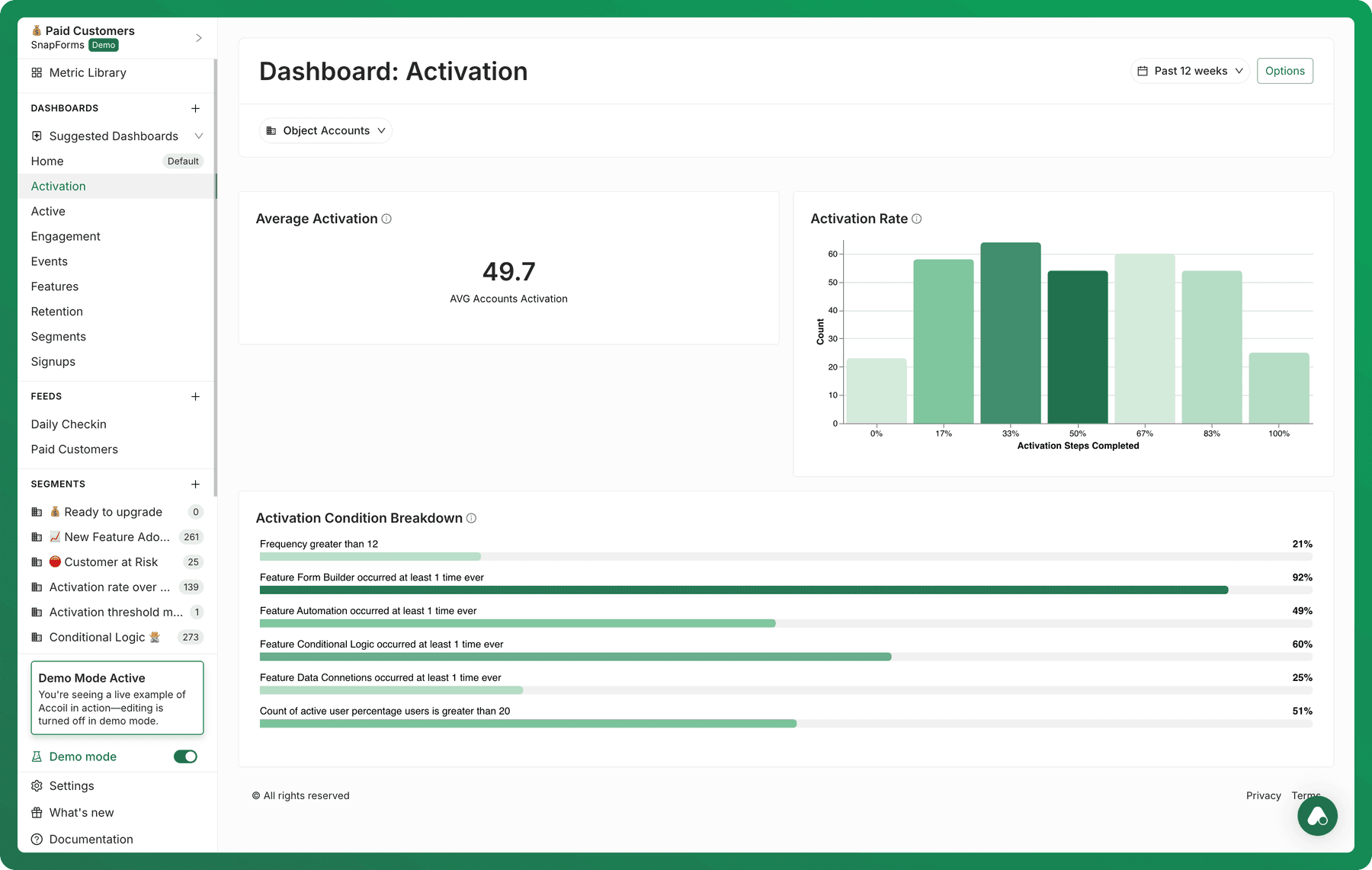
Accoil shows how users are progressing toward activation.
Key metrics:
- Activation Rate – % of trial users who activate
- Time-to-Activation – how long it takes
- Activation by Account Type – see patterns by segment
Set this up in Settings > Workspace Settings. You can track by Account or User. Learn how to set up Activation
3: Segment your Activated accounts for greater clarity
Use segmentation to analyze activated accounts further. Filter by:
- Activation rate
- Account type
- User role
- Engagement trends
4: Deep dive in the Activation tunnel
Analyze how many users complete key activation steps and identify trends.
Example Analysis:
- How many users complete 2 out of 7 activation steps?
- How many reach full activation?
5. Bring Insights into Daily Work
Put activation data to work across your team:
- Improve product flows based on real user behavior
- Sharpen marketing to speak to what clicks early
- Focus sales on high-intent leads
- Help support guide users toward early wins
Explore different tactical plays based upon Accoil signals received.
6. Connect activation data to team workflows
Make your data useful by connecting Accoil with:
- Slack – Get alerts when key users activate
- HubSpot – Trigger outreach at just the right time
- Intercom – Send helpful nudges to users who need a hand
And finally
- Activation isn’t a tidy funnel. It’s a flexible, sometimes messy journey. Users don’t always follow a script—and that’s okay.
- Track activation at the account level. In B2B SaaS, it’s usually multiple users working together that move the needle.
Recommended reads:
- 7 must-have product engagement metrics for B2B SaaS
- Best Practices for Teams
- Use Cases & Workflows
- Tactical Plays