
What is Frequency and how is it calculated?
Frequency counts the days a user or account triggered a scored event in the workspace period, and you can track how it shifts over time.
Summary
Learn how frequency is calculated in Accoil and why it matters for understanding user and account activity levels.
How this helps
Frequency provides insights into how often users engage with your product, helping identify behavior patterns and engagement opportunities.
What is Frequency?
Frequency measures how often a user or account interacts with your product within the defined scoring period.
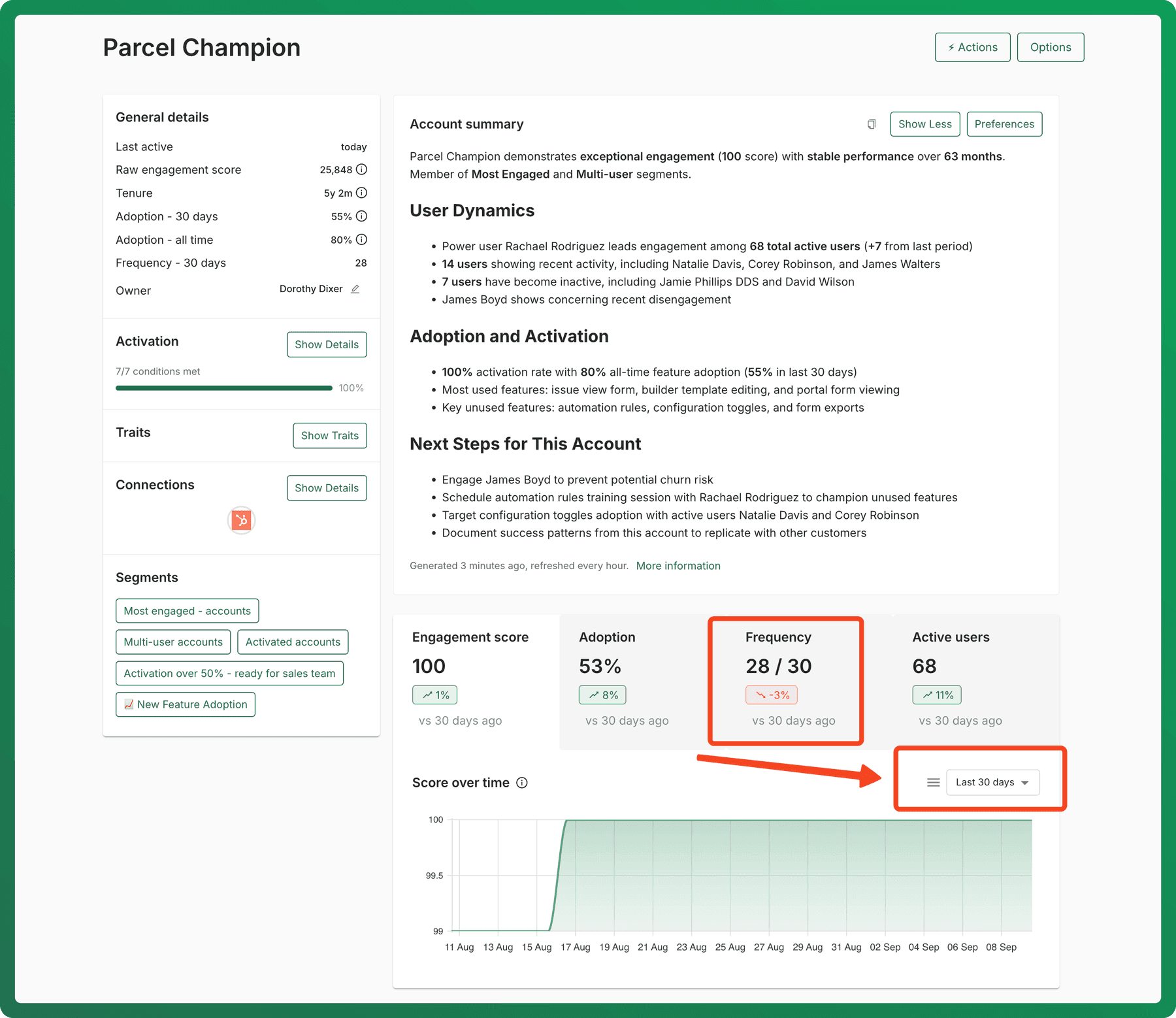
For users: Frequency is the number of days a user was active within the scoring period. For accounts: Frequency is the number of days any user within the account was active.
How Frequency is calculated
Users: The number of days a user triggered a scored event in the last X days (based on your workspace).
- Example: A frequency of 3 means the user was active on 3 out of the last X days.
Accounts: The number of days any user on an account triggered a scored event in the last X days.
- Example: A frequency of 5 for an account means at least one user was active 5 out of the last X days.
Tracking Frequency over time
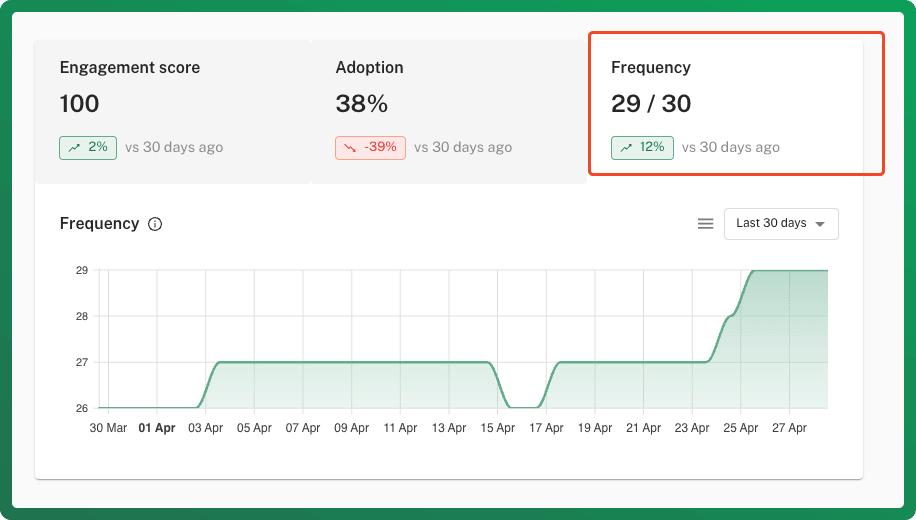
On each user and account detail page, you'll find an over-time Frequency chart that:
- Tracks changes in frequency over time.
- Highlights engagement trends, showing whether usage is increasing or decreasing.
Each data point represents frequency for the previous X days, based on your workspace setting.
Use these insights to spot engagement shifts, prioritize outreach, and optimize user retention strategies.
Recommended reads:
Trust and Compliance
Answers to common questions about Accoil security, SOC 2 and GDPR compliance, available certifications, and how to raise a data subject request.
What is Tenure and how is it calculated?
Tenure measures how long a user or account has been with you, calculated from the createdAt trait and usable as a segment filter.