
Calculated Traits
Create dynamic user and account attributes by combining existing data with simple formulas.
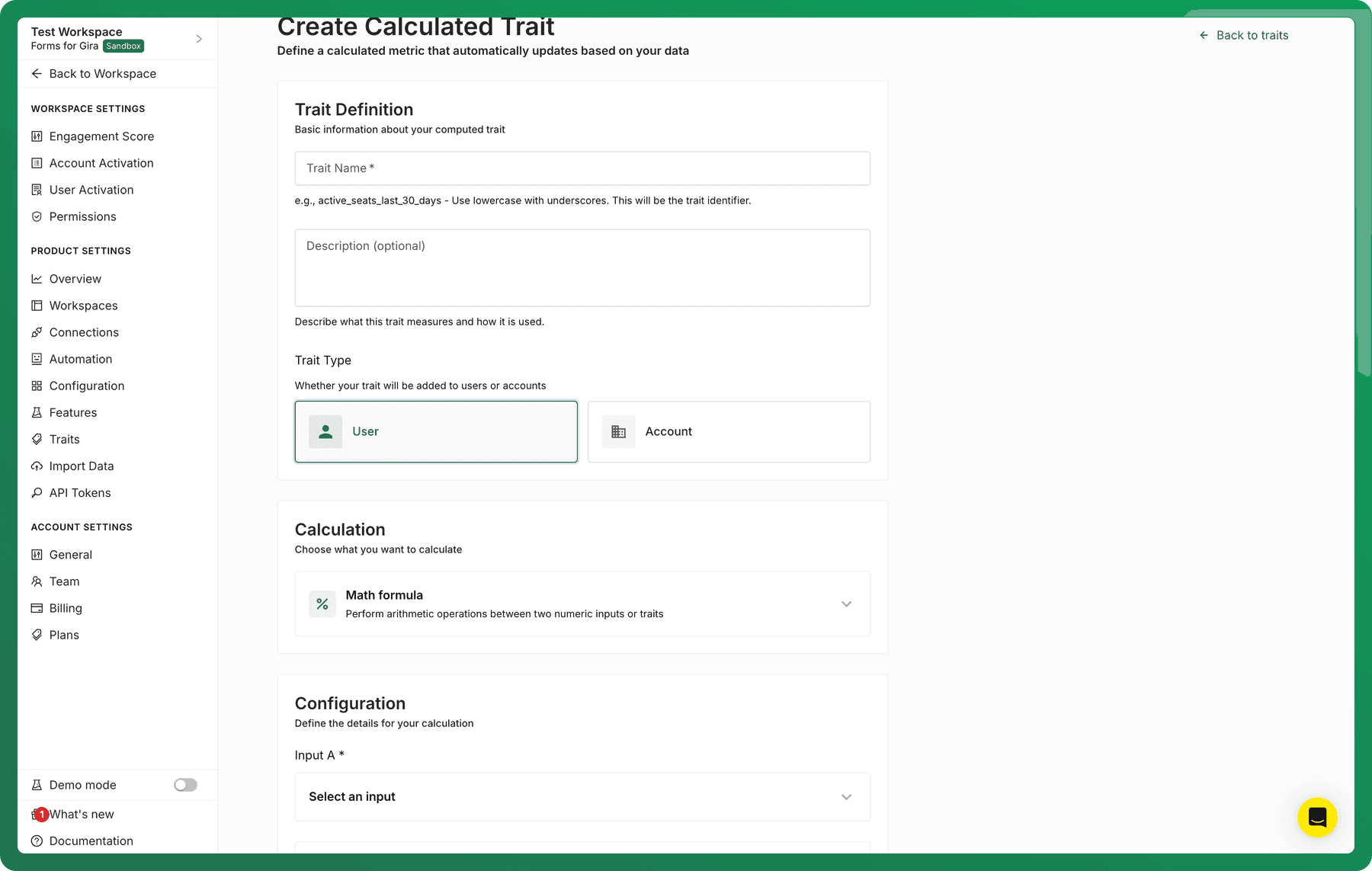
What are Calculated Traits?
Calculated traits let you define derived metrics that automatically update as your data changes. Instead of manually recomputing values like rates, averages, or scores, Accoil keeps these traits up to date and attaches them directly to users or accounts.
Common examples include:
- Average events per active user
- Ratios like “active users ÷ licensed seats”
Once created, calculated traits behave like any other trait in Accoil: you can use them for segmentation, reporting, and workflows.
How to add or edit a Calculated Trait
- Go to Settings → Traits
- Click + Add Trait to create a new calculated trait, or Edit on an existing one
- Configure the trait using the steps below
- Click Create trait or Save
Calculations will then run automatically in the background.
Trait definition
Start by defining the basics of your trait:
Trait name
- Use lowercase with underscores
- This becomes the trait identifier
- Example:
activation_rate,avg_events_per_user
Description (optional)
- Explain what the trait measures and how it’s used
- Helpful for teammates and future reference
Trait type
- User – the value is calculated per user
- Account – the value is calculated per account
Choose the level that best matches how the metric should be interpreted.
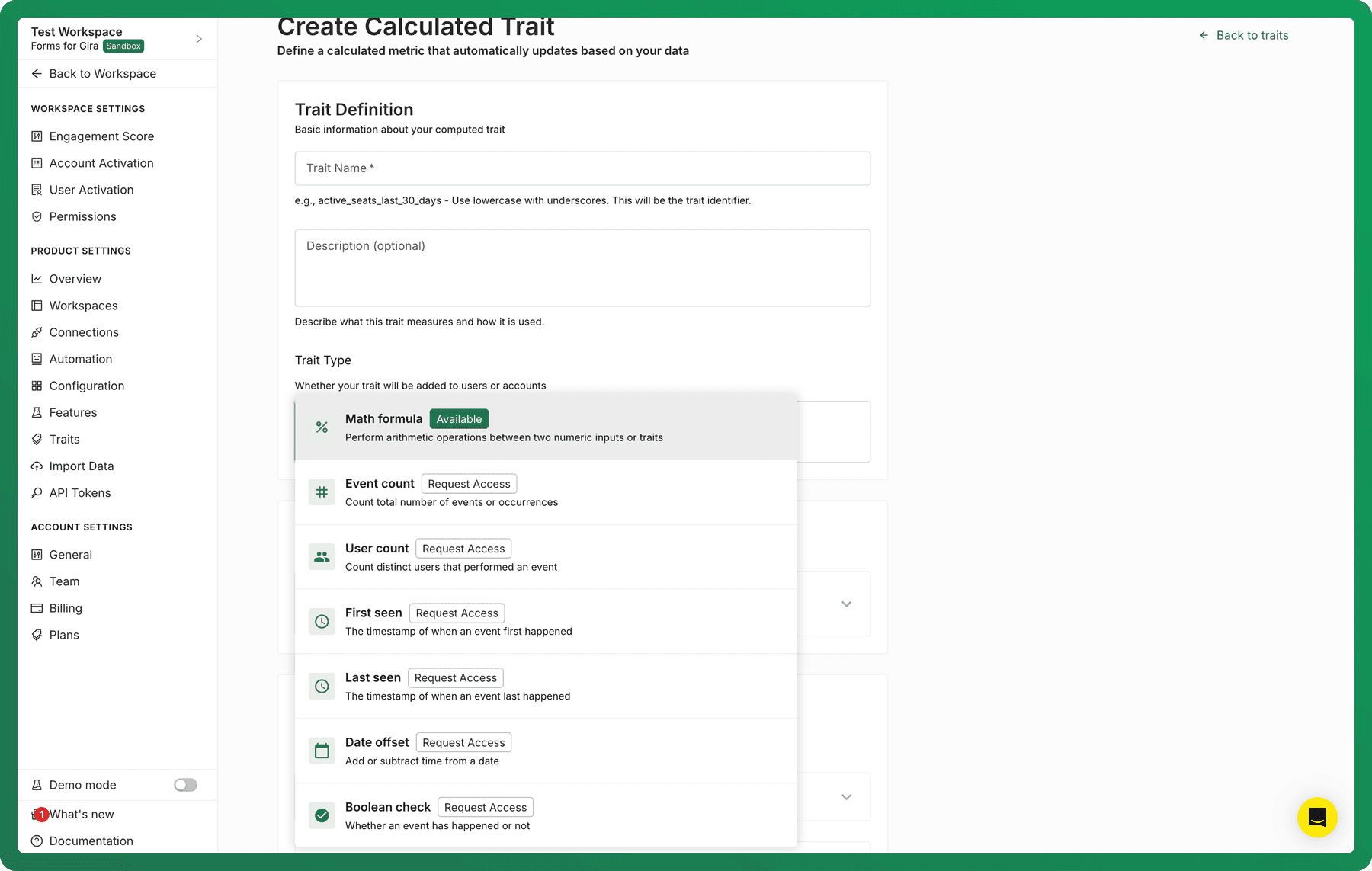
Calculation type
At the moment, Math Formula is the only calculation type generally available.
Math formulas allow you to perform arithmetic operations (for example: divide, multiply, add, subtract) between two numeric inputs.
Other calculation types (such as event counts or timestamps) are visible in the UI but require enablement. If you’d like access to these, just let us know.
Math formula configuration
When using a Math Formula, you’ll define three things:
- Input A: Select a numeric trait or Accoil metric.
- Operation: Choose how Input A and Input B are combined (for example, Divide A by B).
- Input B: Select another numeric trait or Accoil metric.
Important rules
- Only number traits can be used in math formulas
- Non-numeric traits (dates, booleans, text) are not supported
- Both inputs must resolve to numbers at the same level (user or account)
Using Accoil Metrics
You can use built-in Accoil Metrics (such as active_users, activation_rate, or adoption metrics) as inputs in your calculation.
When you do this:
- You must select a workspace
- The workspace determines which underlying metric values are used
This ensures Accoil knows exactly which dataset the calculation should reference.
After creation: what to expect
- Once saved, the calculated trait will begin processing automatically
- It may take a few minutes for calculations to complete
- When ready, the trait will appear on the relevant users or accounts
- The value will continue to update as the underlying inputs change
When to use Calculated Traits
Calculated traits are especially useful when you want to:
- Standardize calculations across teams
- Power segmentation and prioritization
- Reduce manual analysis and spreadsheet work
By pushing these calculations into Accoil, everyone works from the same, always-up-to-date numbers.
Summary
Calculated traits let you combine numeric traits and Accoil metrics into dynamic, reusable attributes. They’re easy to set up, update automatically, and make it simpler for teams to understand usage, adoption, and account health at a glance.