
Understanding Feeds
Accoil Feeds turn product and customer activity into a curated stream of meaningful updates for your team.
Summary
The Feed is more than a product report — it’s the pulse of your customer base.
Whether you’re onboarding new users, closing a deal, or tracking adoption - the Feed ensures you’re never out of the loop.
How this helps
- Maintain awareness across teams
- Spot risk and opportunity earlier
- Act quickly with the right context
- Stay aligned without meetings or dashboards
Overview
The Accoil Feed is your personalized signal center - a digestible, curated stream of the most important customer and product activity happening across your SaaS product.
Instead of digging through dashboards or getting lost in real-time alerts, Feeds deliver a narrative-driven summary of recent changes. Each update appears as a card — a grouped, high-signal snapshot that helps you stay aware of meaningful movements in your users, accounts, and product.
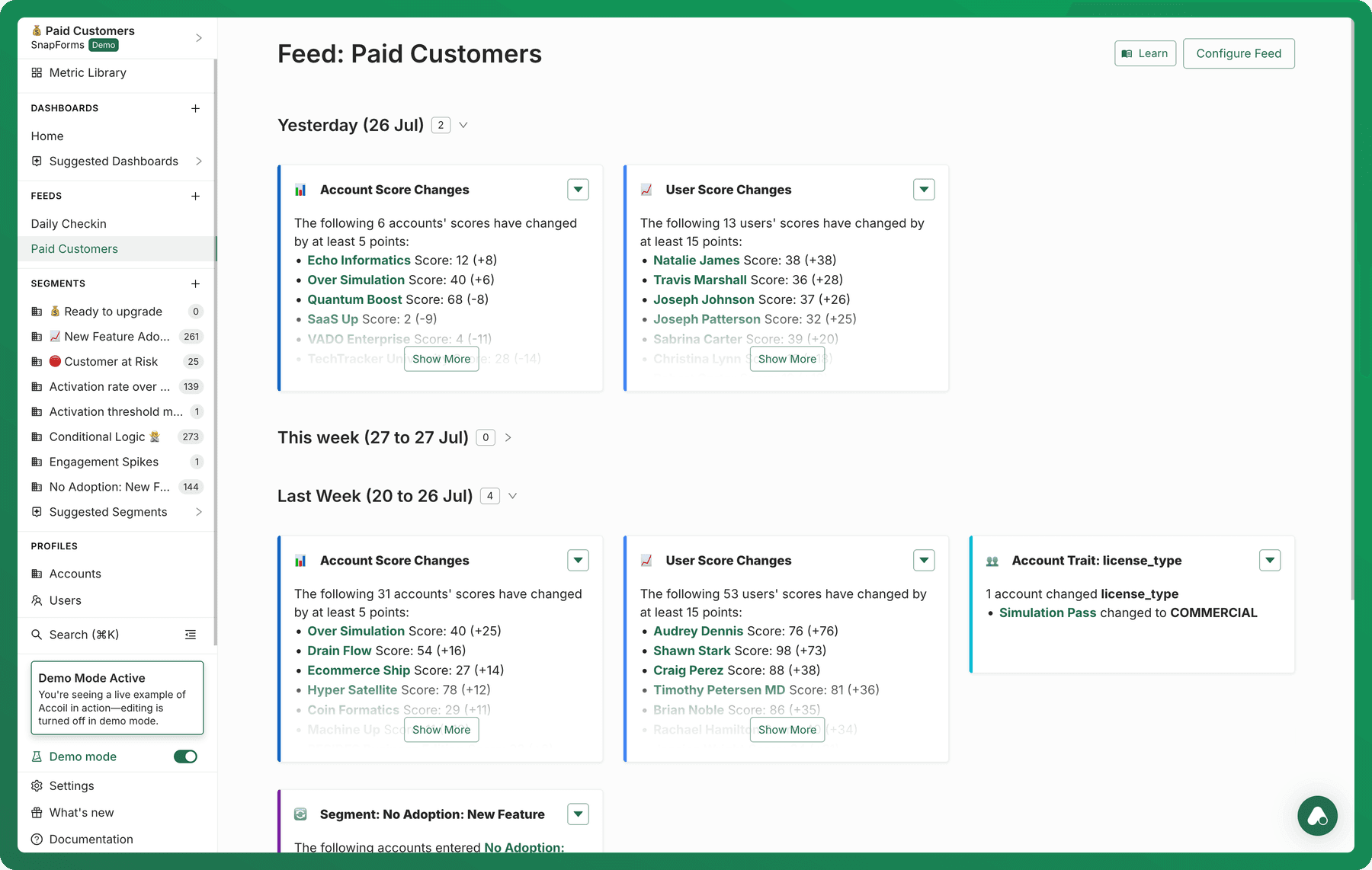
Where are Feeds?
- Located in Workspaces → Views → Feed
- Also visible in the Dashboard (right-hand side panel) for quick access to recent changes.
Key Benefits
| Traditional Tools | Feed |
|---|---|
| Static dashboards | Narrative-driven signal stream |
| Manual digging for changes | Time-aware cards auto-grouped by impact |
| Real-time alert fatigue | Curated, relevant updates only |
| Functional silos | Role-based, shareable feeds for Sales, CS, Product, and more |
Delivery Channels
The Feed is asynchronous-first, designed to meet teams where they already work:
- In-App (always available)
- Slack (optional delivery to a public channel at 8AM daily/weekly)
- Email (coming soon!)
Slack messages are grouped by day or week into a headline post, with individual cards threaded underneath to avoid clutter and keep teams aligned.
Feed cards
Each item in your feed is a card — a grouped summary of related changes.
Examples include:
- “5 accounts hit full activation yesterday”
- “3 users entered the Dormant segment this week”
- “BetaCorp’s score dropped by 42 points”
Cards are dynamic, time-scoped, and clickable. They help teams prioritize what matters most, not sift through logs.
Who it’s for
| Role | Common Signals |
|---|---|
| Customer Success | At-risk accounts, onboarding stalls, power users |
| Sales & AMs | Expansion readiness, reactivation, plan changes |
| Product Teams | Feature usage spikes, activation blockers |
| Marketing & Growth | Segment transitions, premium adoption, lifecycle triggers |