
Understanding Features
Features allow you to group related product events into meaningful, user-facing capabilities—like \"Used Reports\" or \"Invited a Teammate.\
Summary
Features provide a more human-readable view of product engagement, making it easier to measure adoption, model activation, and identify which areas of your product are driving value.
How this helps
- Makes raw event data more understandable and actionable
- Helps teams track real usage of key product areas
- Powers activation models, workspaces, and segmentation
- Gives Product, Success, and Growth teams a shared language for adoption
What Are Features?
In Accoil, a Feature is a set of product events that collectively represent how a user interacts with a specific part of your product.
Think of a feature as the answer to: "Did the user actually use this part of the product?"
For example, a feature like “Used Reports” might combine multiple events such as:
report_createdreport_savedreport_editedreport_shared
By grouping these together, you get a single, unified view of whether a user engaged meaningfully with reporting.
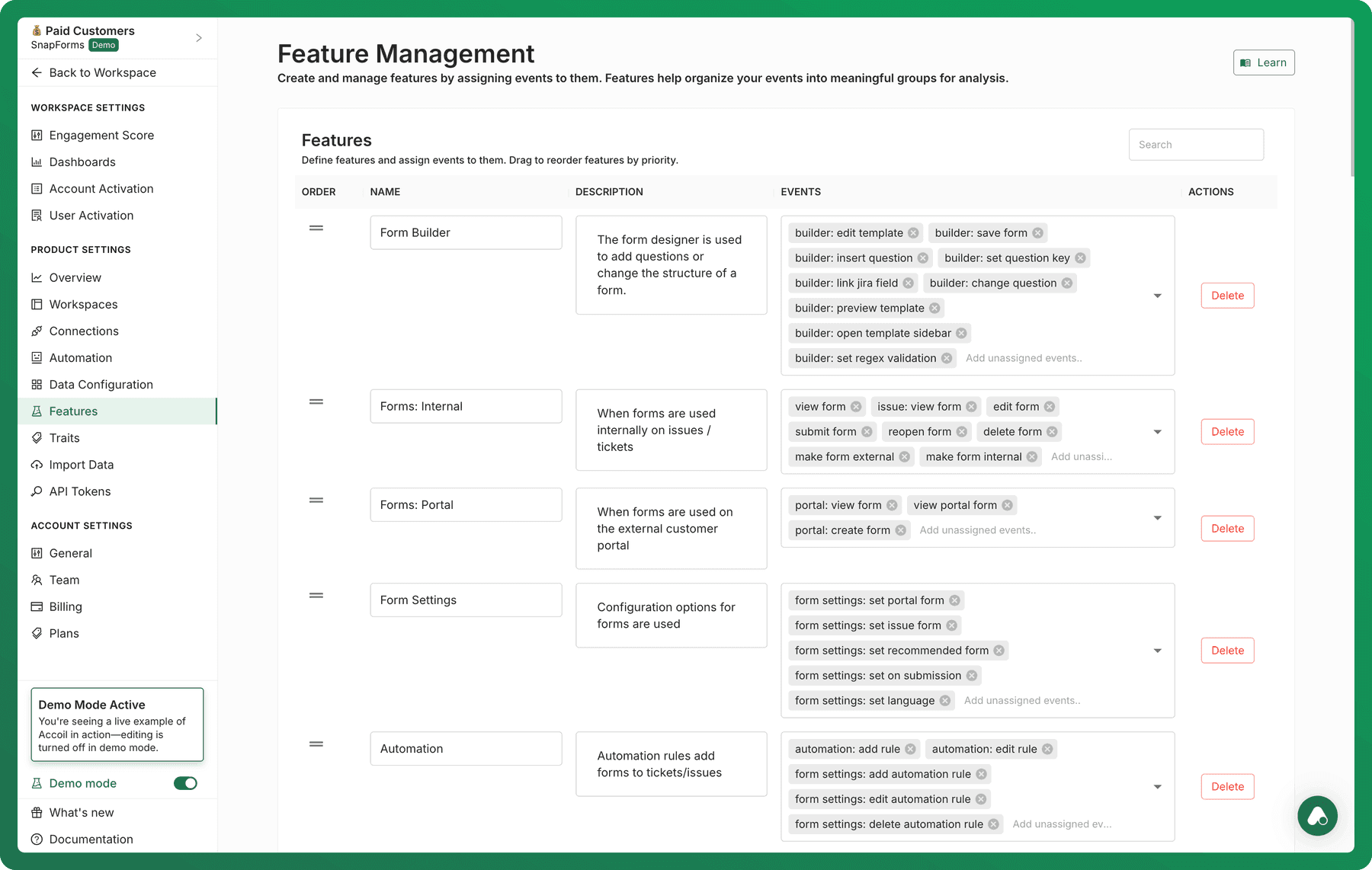
What counts as a Feature?
A feature in Accoil is:
- Named and defined globally for your product (not per-workspace)
- Made up of one or more user events that represent a meaningful capability
- Tracked and analyzed consistently across users, accounts, and time
Each event can only belong to one feature at a time, ensuring a clean and structured view of your product.
Why features matter
Features help you:
- Measure product adoption in a way that reflects how users actually think and work
- Create activation models based on real usage, not isolated clicks
- Build segments of users who have or haven’t used key product areas
- See engagement trends across different time periods or user types
Without Features, product analytics becomes fragmented — relying on raw events that are hard to interpret and act on.
Where you will see Features in Accoil
| Area | How Features Are Used |
|---|---|
| Dashboards and metrics | Use the Features dashboard and Metric Library to explore adoption and usage |
| Workspaces | Include specific features to define engagement and active status |
| Activation Models | Define milestones like "Used Key Feature" as part of activation criteria |
| Segments | Filter for users or accounts that did/didn’t use a given feature |
| Feeds | See adoption changes and top users in your feeds. |